Mobile Execution and Material Management
WFM execution is mobile-first for technicians, with dedicated views optimized for daily field operations.
1. Mobile Solution Model
tSM mobile approach combines:
- responsive web application,
- Progressive Web App (PWA) packaging,
- native Android/iOS packaging via Capacitor for device-specific capabilities.
This supports both browser-based access and enhanced native functions where required (for example selected device integrations and policy-constrained capabilities).
2. Technician Daily Work Surface
| Screen | Operational Purpose |
|---|---|
| Task list | What to do today and in which order |
| Map | Route and location-aware execution |
| Task detail | Work instructions and contextual data |
| Start/finish forms | Execution evidence and status transitions |
| Material section | Consumption/write-off and equipment handling |
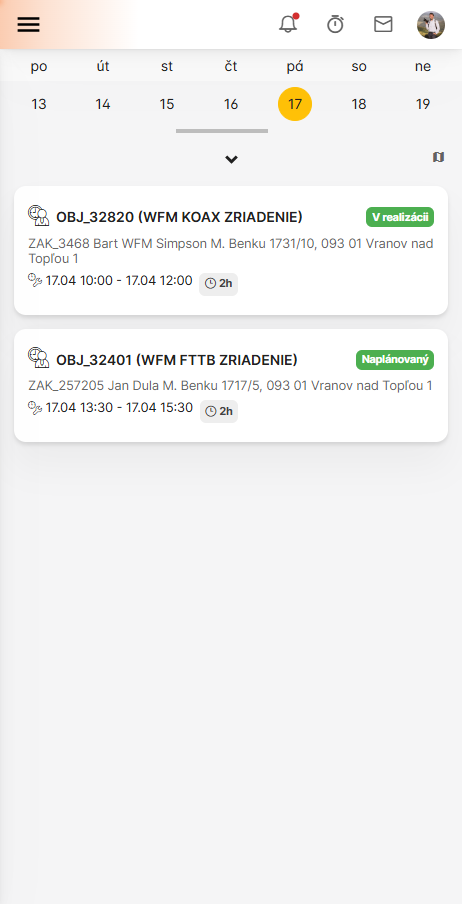
3. Task List
Technician sees scheduled tasks for selected day with preview information.
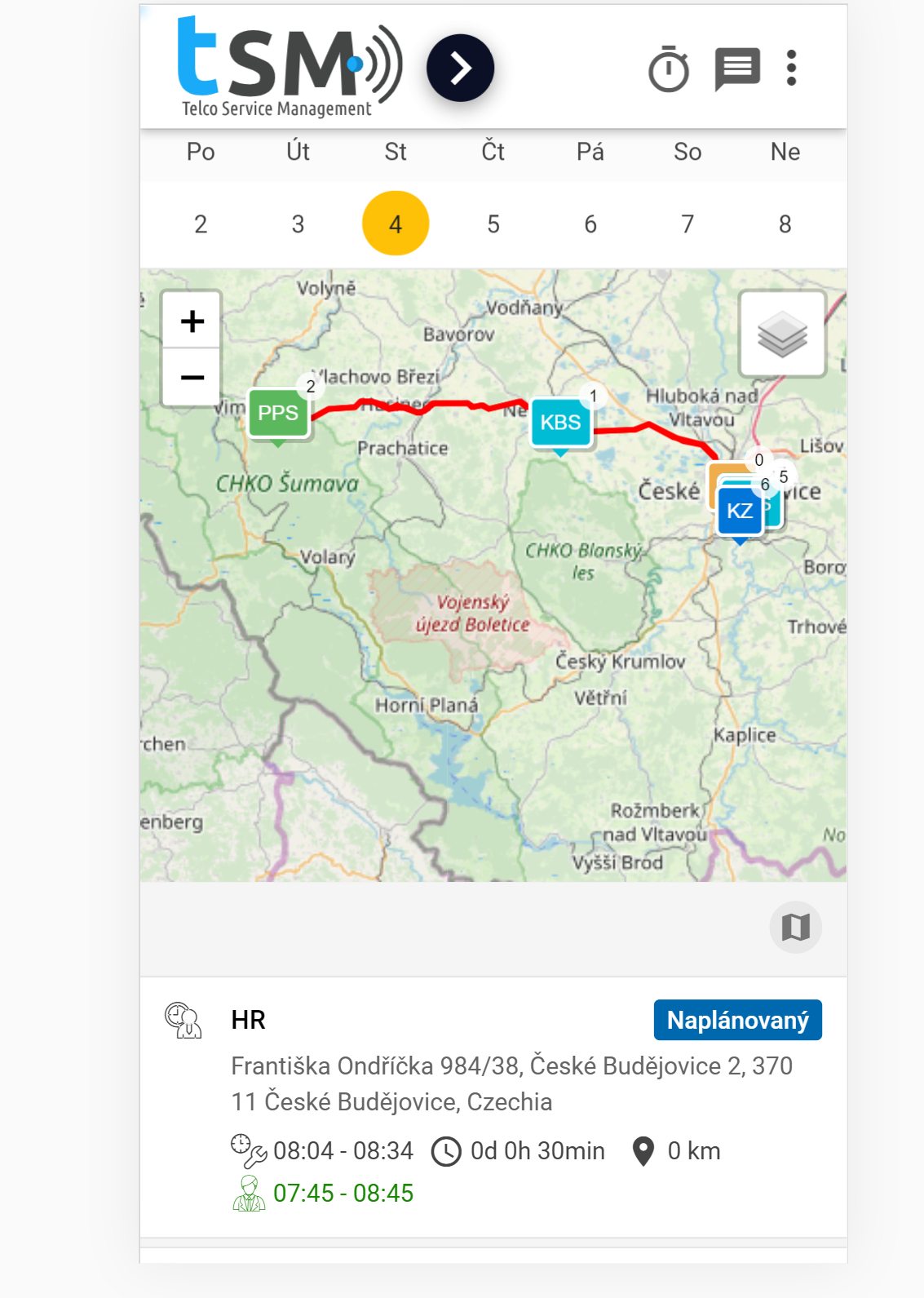
4. Map View
Map view supports location-driven execution and navigation.
Typical layers:
- technician daily route,
- colleague route overlays,
- unscheduled tasks,
- planned outages.
5. Task Detail and Execution Steps
5.1 Task Overview
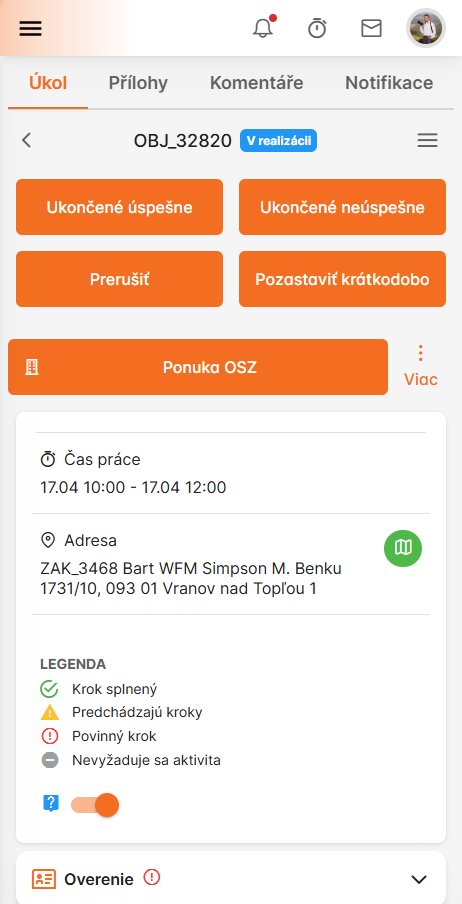
This overview shows example of core task information and type-specific details.
Detailed view of task information in the mobile app:
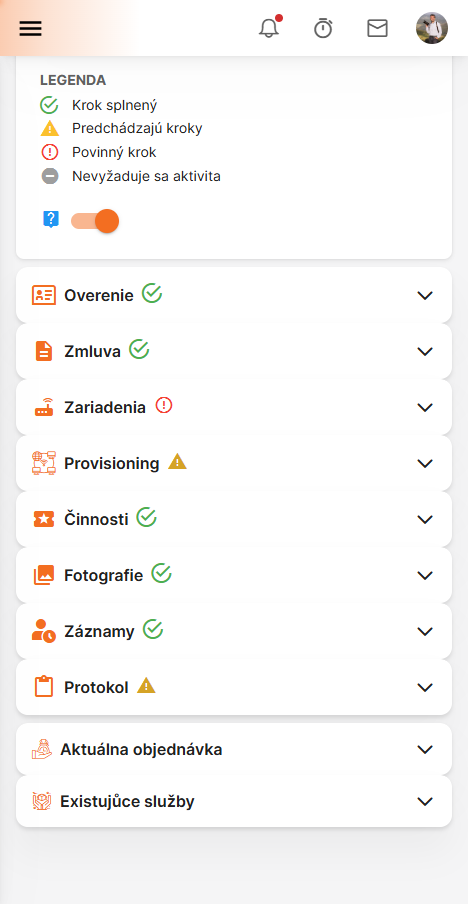
Additional task details displayed on mobile:
Available actions for the task in mobile interface:
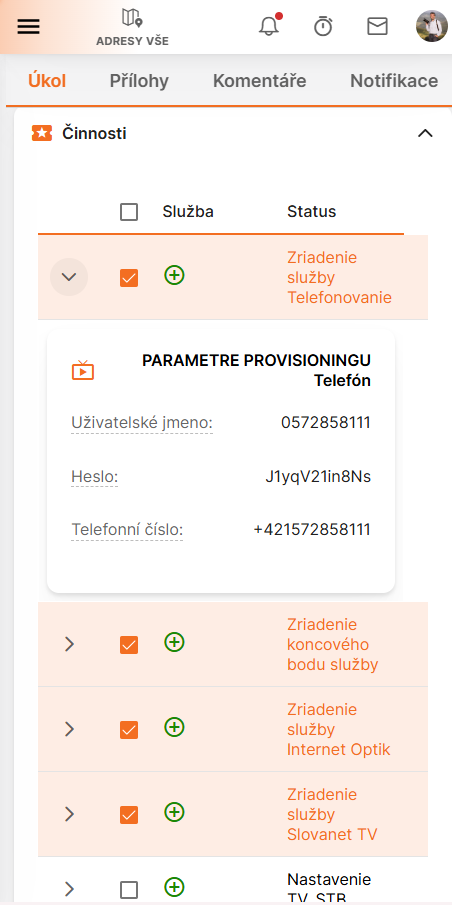
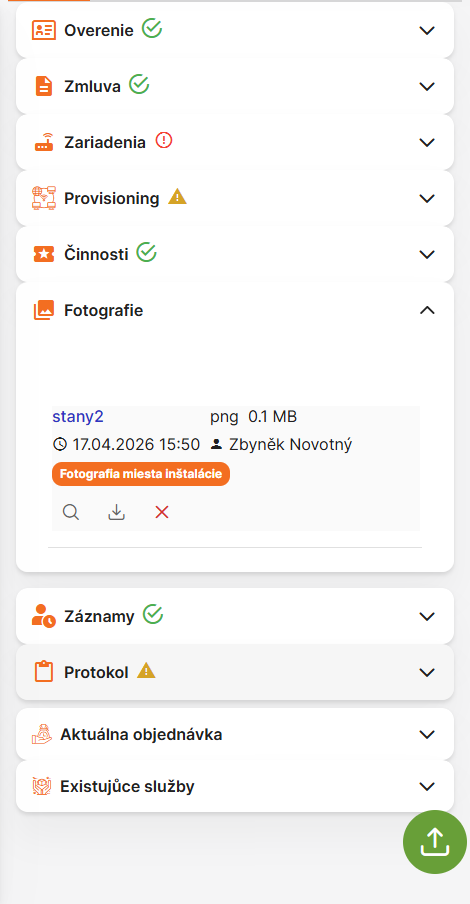
Photo attachments section for task evidence:
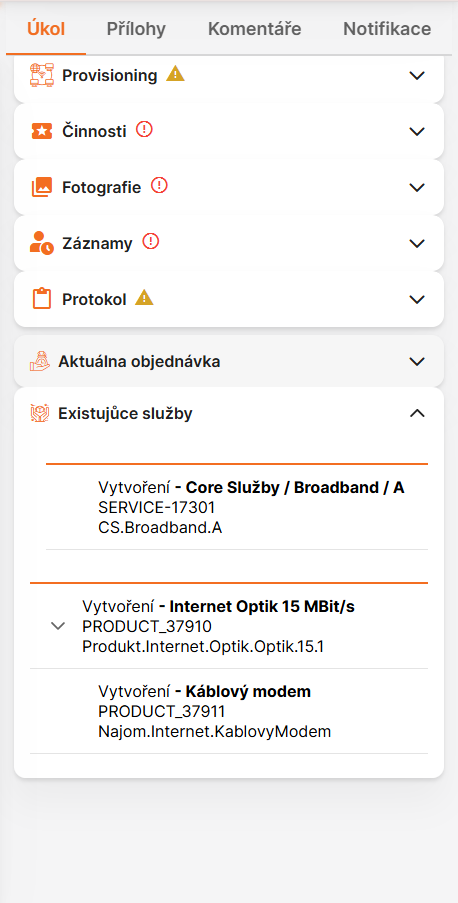
Services or additional features related to the task:
5.2 Task Start
Task start captures start context and execution initialization.
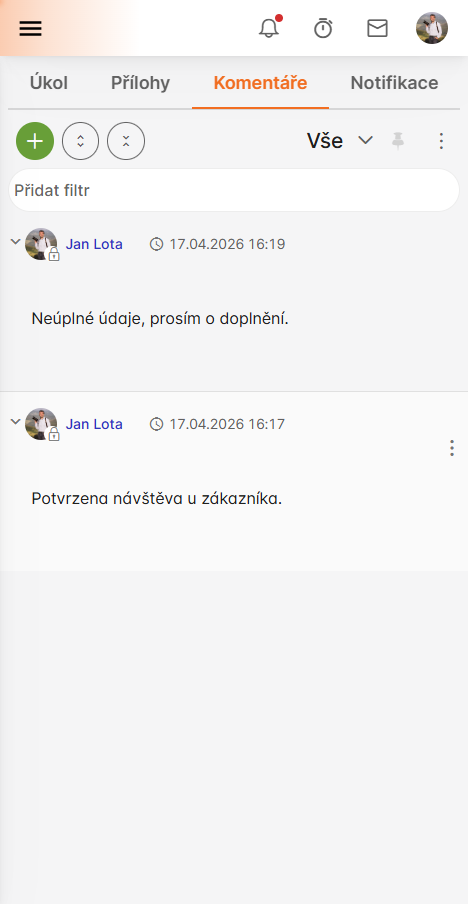
Task comments section for initial notes or notes during task realization:
5.3 Task Finish
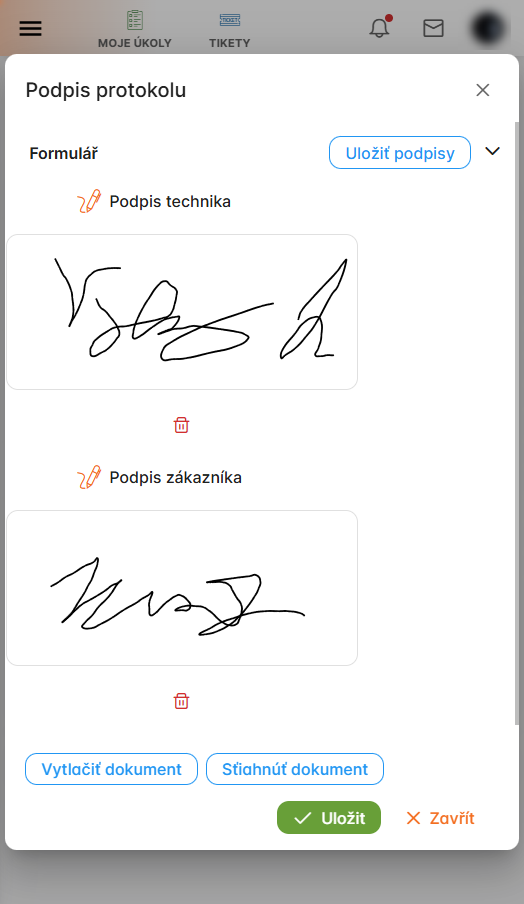
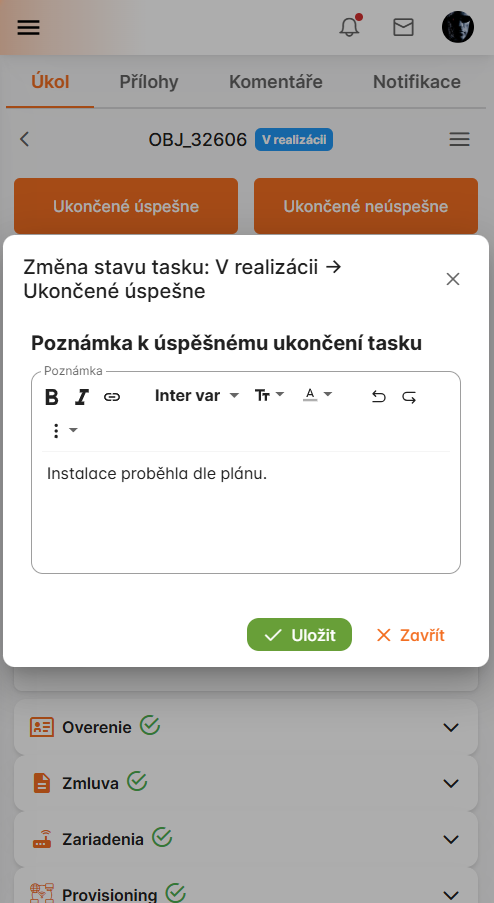
Task finish captures:
- customer signature for completion protocol,
- result and completion notes,
- issue/solution comments,
- multimedia evidence,
- optional collaboration mentions.
Task completion protocol with signature capture:
Final task note and completion summary:
5.4 Material During Task
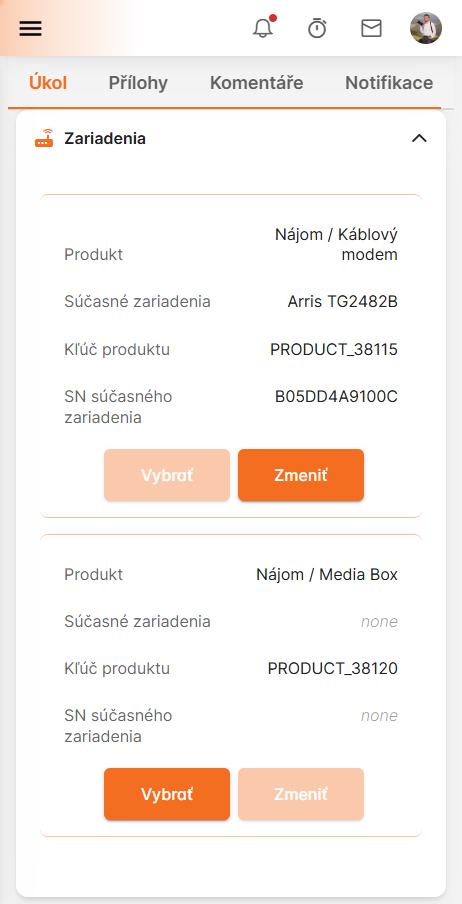
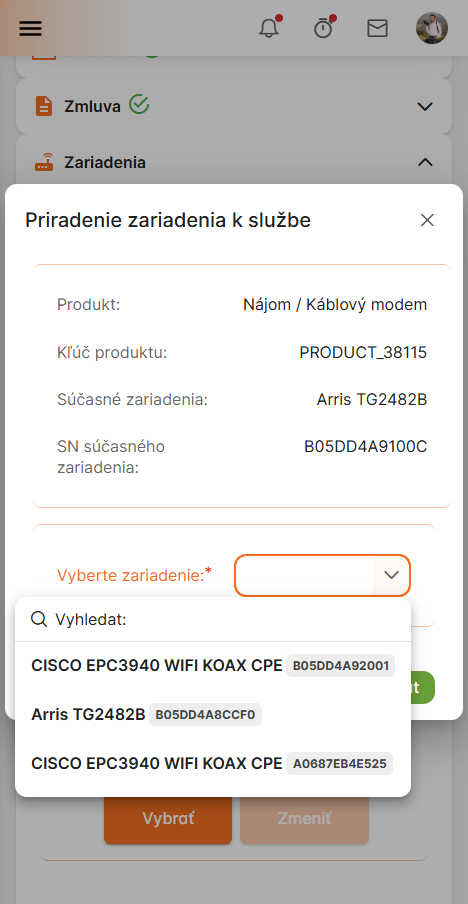
Technician records material usage related to the task.
Material entry for task consumption and stock write-off:
Additional material entry details for task execution:
5.5 Additional mobile execution examples
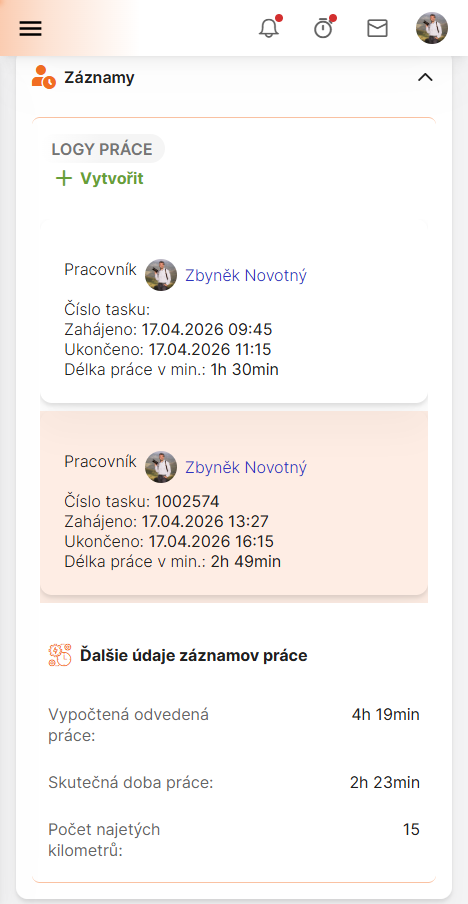
Work logs and execution history in mobile view:
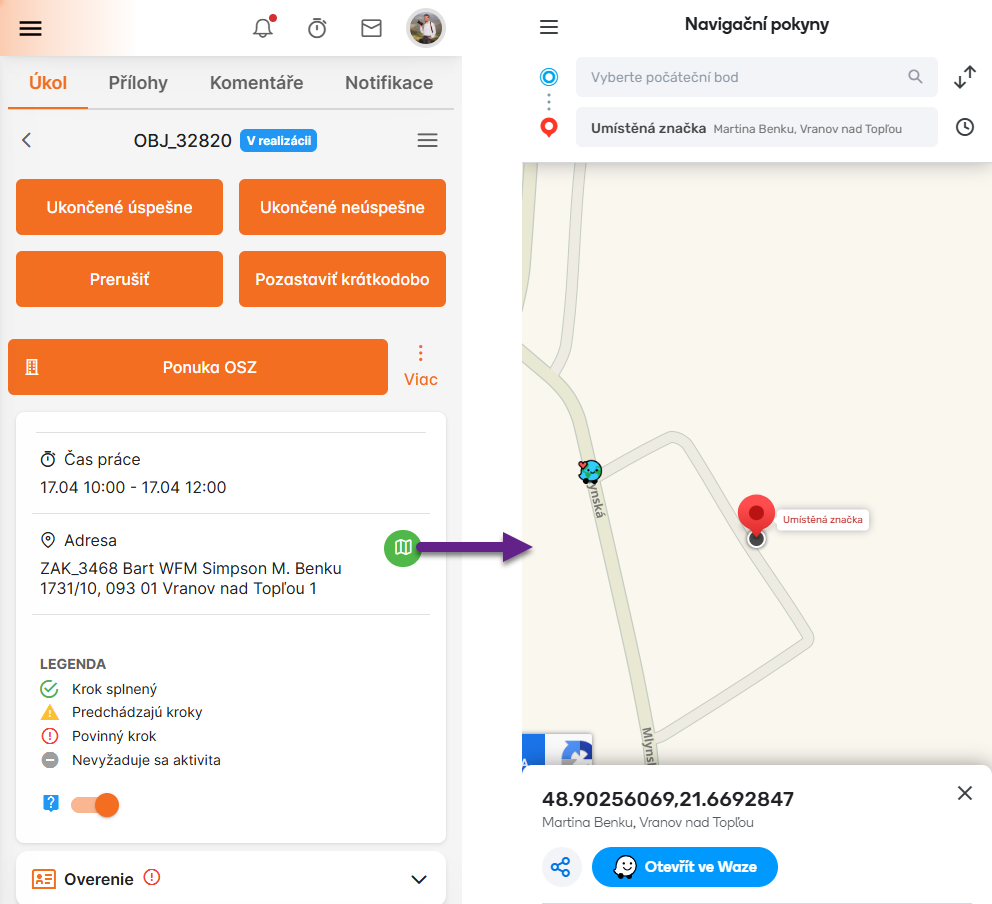
Mobile navigation and task overview interface:
5.6 Task collaboration
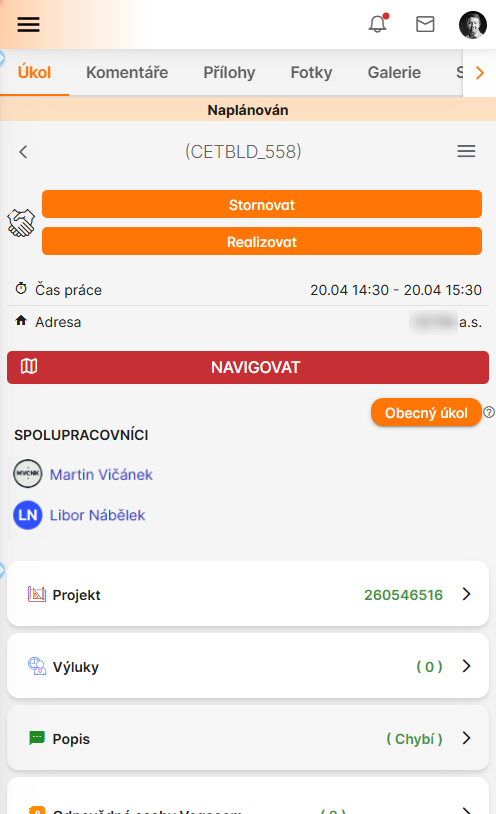
Collaborators assigned to the task:
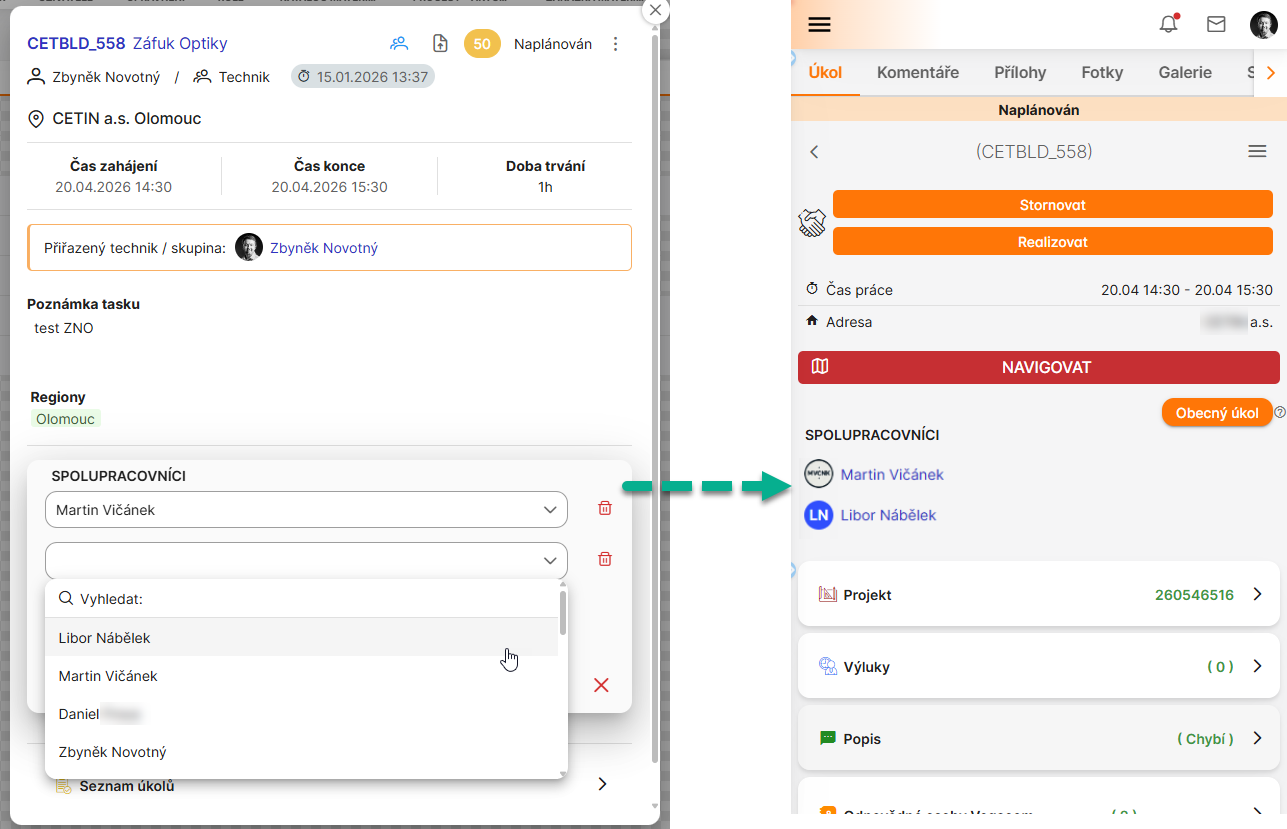
The dispatcher can assign collaborators to tasks as needed:
6. Additional Mobile Actions
Configurable additional actions include:
- collaboration request to another technician,
- availability updates,
- immediate follow-up task creation,
- execution of selected external-system functions.
These actions reduce dispatcher load and shorten time-to-resolution in field conditions.
7. Material Management Domain
Material management in WFM coordinates task-level consumption with stock/ERP systems.
7.1 Material Catalog and Stock
- material catalogs (master records) can be synchronized from ERP,
- hierarchical categories are supported,
- stocks may include central, local, project, consignment, and personal stock types,
- materials can be serialized or non-serialized.
Material catalog and stock overview for WFM operations:
7.2 Supported Movements
| Operation | Meaning |
|---|---|
| Remove for task | Consume stock material during execution |
| Stock transfer | Move material between stocks |
| Material order | Request replenishment |
Created movements/orders are synchronized back to ERP.
8. Operational Notes
- keep mobile forms focused on field context and minimum required input,
- enforce evidence capture policy by task type,
- align material write-off rules with ERP governance,
- monitor offline/online behavior for critical process steps.