Scheduler and Appointment Management
The scheduler is the optimization core of WFM. It assigns tasks to resources and time windows while balancing feasibility and cost.
1. Scheduler Architecture
tSM Scheduler is based on OptaPlanner (AI constraint solver) and uses a VRP-TW planning approach.
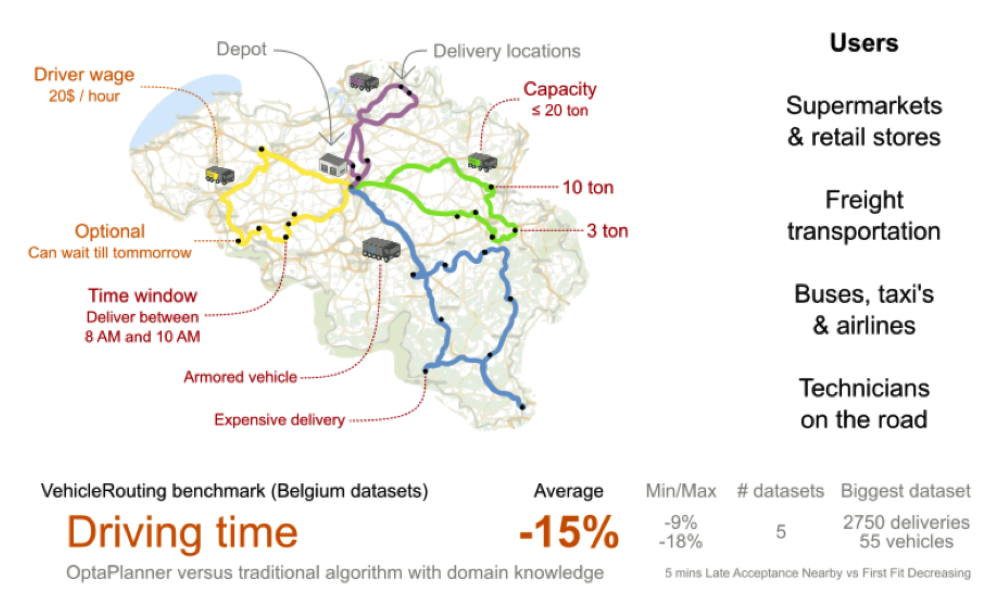
Primary objectives:
- satisfy hard constraints (skills, time windows, dependencies, due dates),
- optimize soft constraints (travel, workload balance, cost, preferred policies),
- support continuous replanning as demand and availability change.
2. Routing and Traffic Services
Routing/traffic data is used for realistic travel-time estimation.
Design points from source specification:
- distance matrix supports up to large planning sets (up to 20k origins/destinations in scheduler context),
- offline traffic profiles are maintained in 24 hourly slots x 7 days,
- an average traffic profile is used for quick term proposals,
- destination buffers are precomputed (30 km default, optional 50 km for long-distance cases),
- fixed matrix fallback supports resilience for long-distance estimation.
Supporting map capabilities include geocoding, reverse geocoding, route display, POI search, and custom layer overlays.
3. Appointment Term Negotiation
Appointment negotiation requires near-real-time candidate generation.
Target from source material:
- offer multiple valid terms in approximately 5 seconds.
Reference timing split:
| Step | Typical Time |
|---|---|
| Routing-time calculation | ~1 s |
| Candidate solution copies | ~1 s |
| Constructive heuristics | ~2 s |
| Optimization pass | ~2 s |
Configurable appointment strategies:
- strict optimization during negotiation,
- balanced load distribution,
- quota-driven work type allocation,
- reserved emergency gaps.
4. Constraint and Performance Considerations
Vehicle routing is NP-hard; practical operation balances:
- number/complexity of constraints,
- response-time KPI,
- solution quality.
Operational guidance:
- validate each new rule for performance impact,
- keep hard constraints minimal and explicit,
- use soft constraints for preference ranking,
- evaluate hardware scaling against business value.
5. Sizing and Partitioning Guidance
Source guidance indicates strongest performance around:
- approximately 10k active tasks per scheduler instance,
- approximately 8-core class machine for solver and move threads.
Partitioning approaches:
- geofencing by territory,
- temporal split (e.g., selected windows),
- hybrid strategy with nearby-selection heuristics.
The best global optimization quality is usually achieved when all related tasks/resources remain in one solver domain.
6. Customer Appointment Flow
Appointment flow is activated when process/task requirements indicate customer coordination.
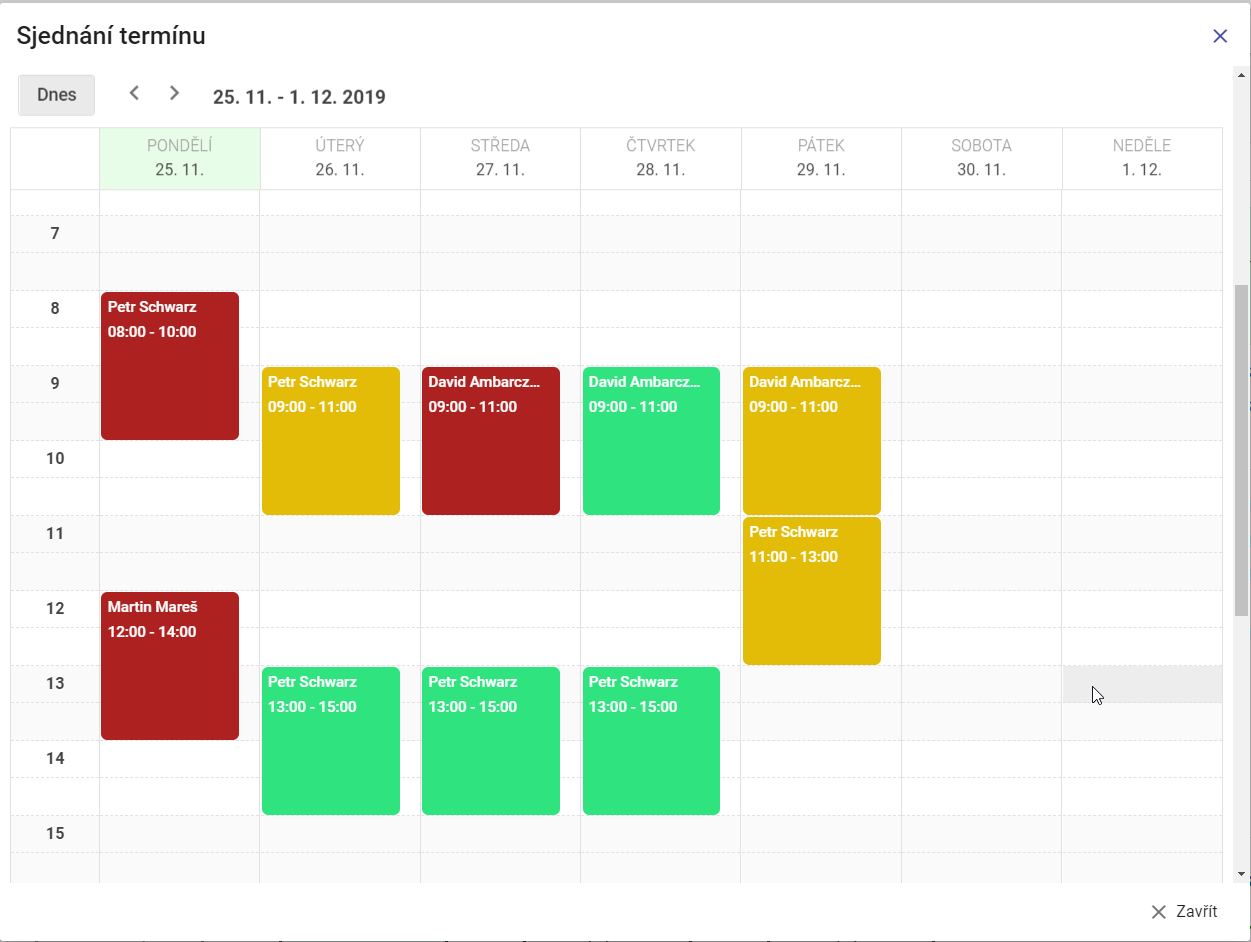
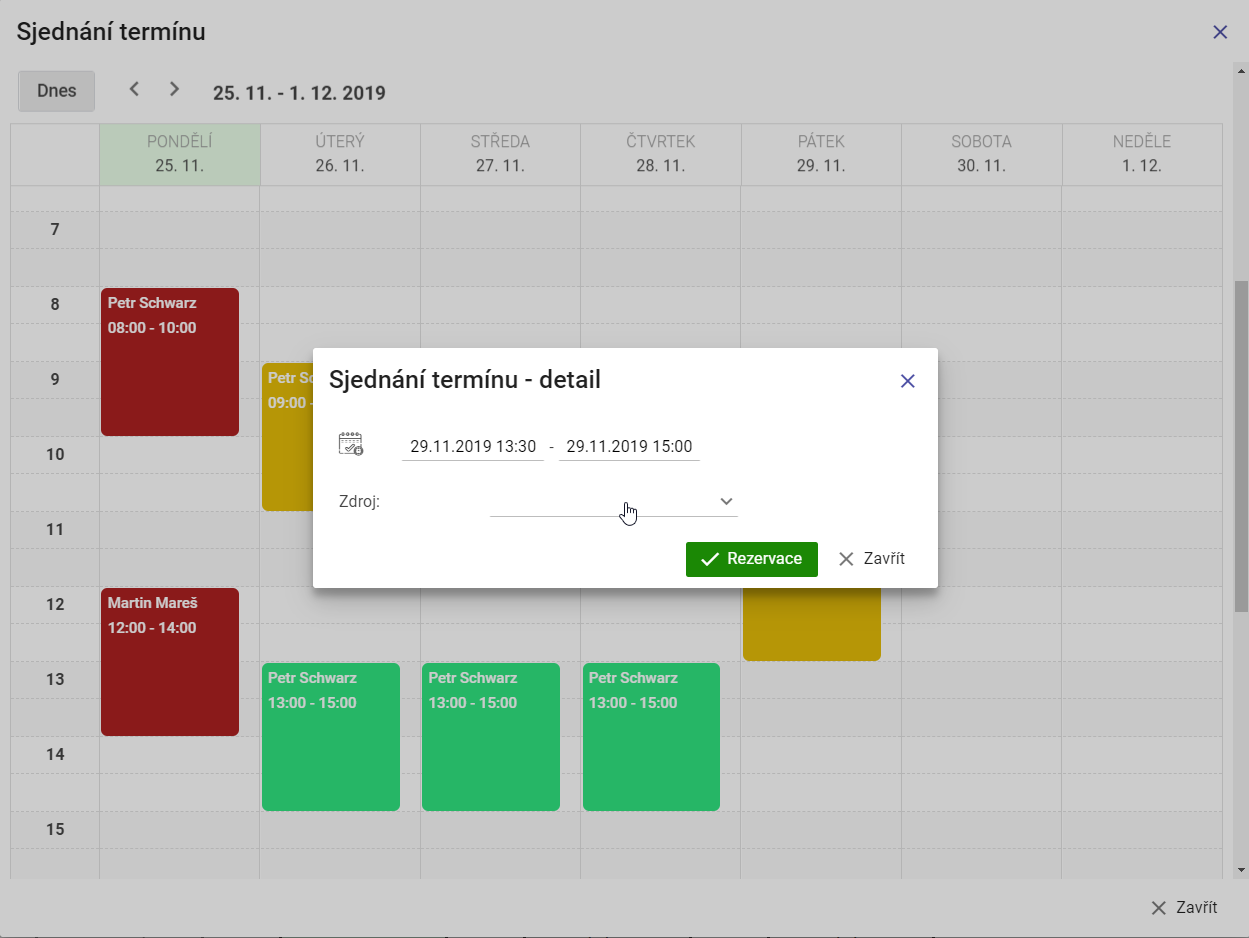
- Scheduler computes candidate terms.
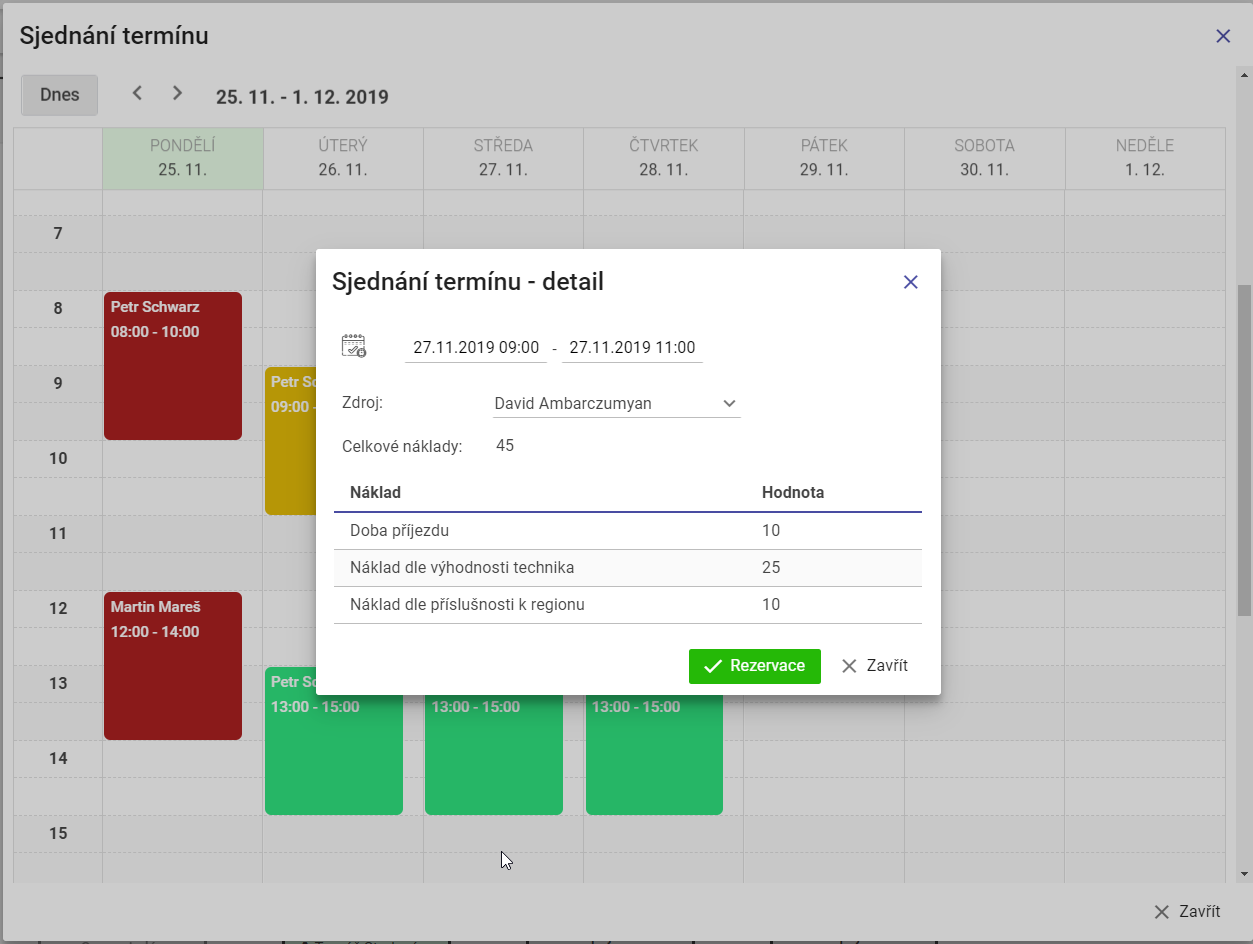
- User/dispatcher reviews costs and details.
- Selected slot is confirmed and reserved.
- Process continues with scheduled tasks.
Calendar view with ranked terms:
Appointment term detail:
Additional calendar/offer visualizations:
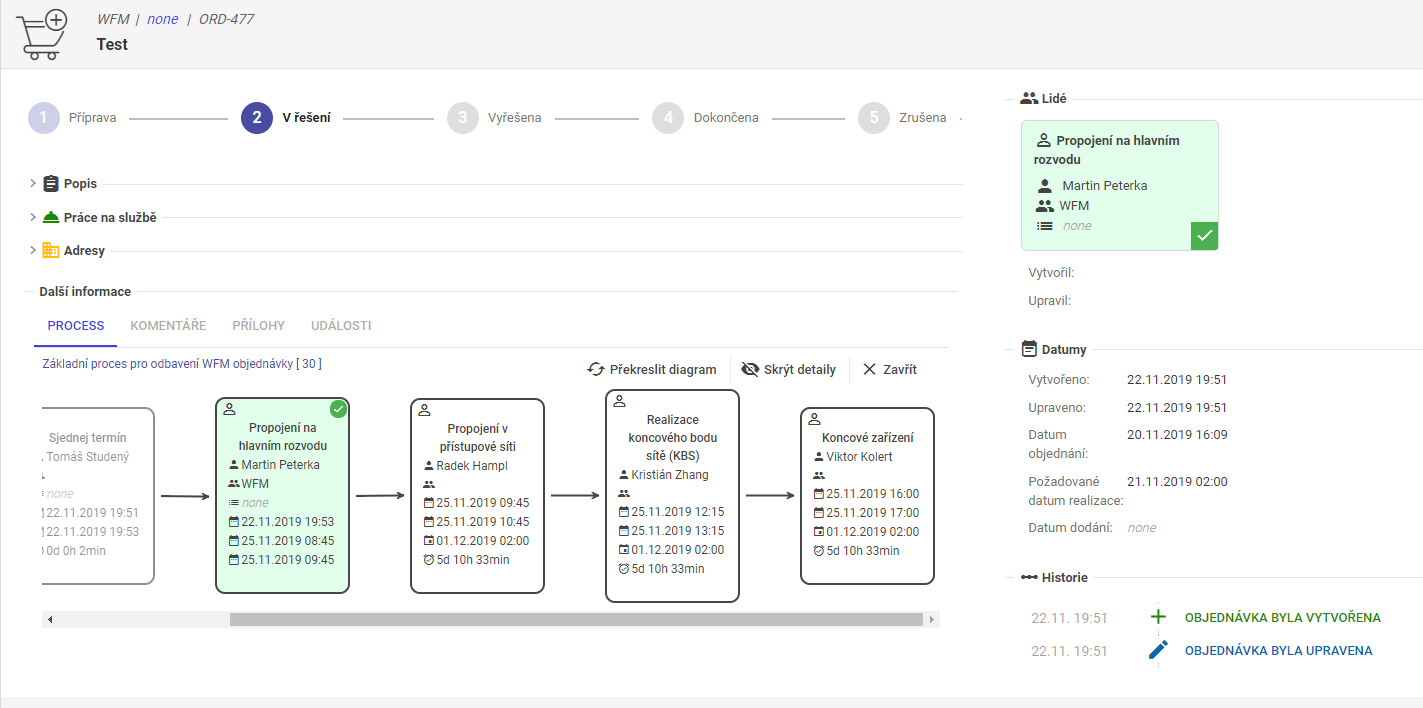
7. Dispatcher-driven Appointment Negotiation
Dispatcher can trigger appointment negotiation directly from dispatch context.
Task selection in dispatch view:
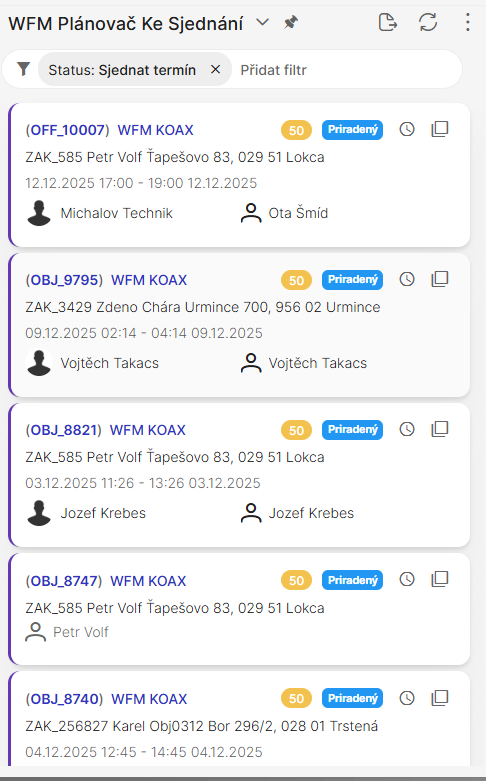
Task selection in the dispatch workspace, where the dispatcher reviews key task details, status, and availability before starting the appointment negotiation.
Offered slots from scheduler:
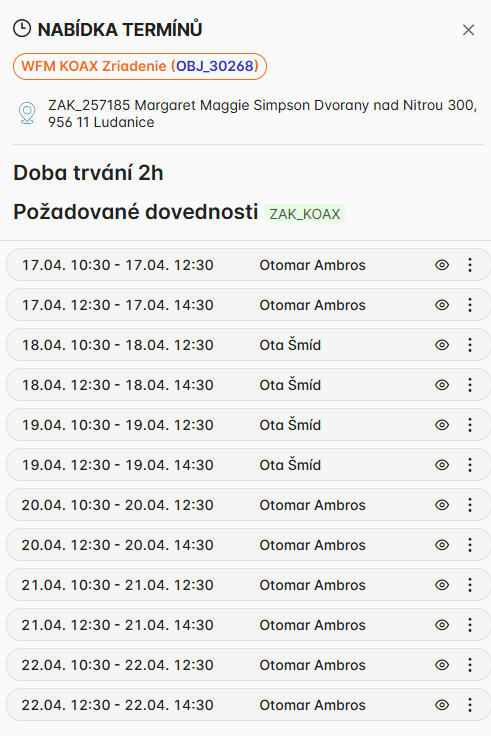
Scheduler-generated slot options for the selected task, including available time windows, priorities, and alternative proposals the dispatcher can offer to the customer.
Task detail in Gantt context:
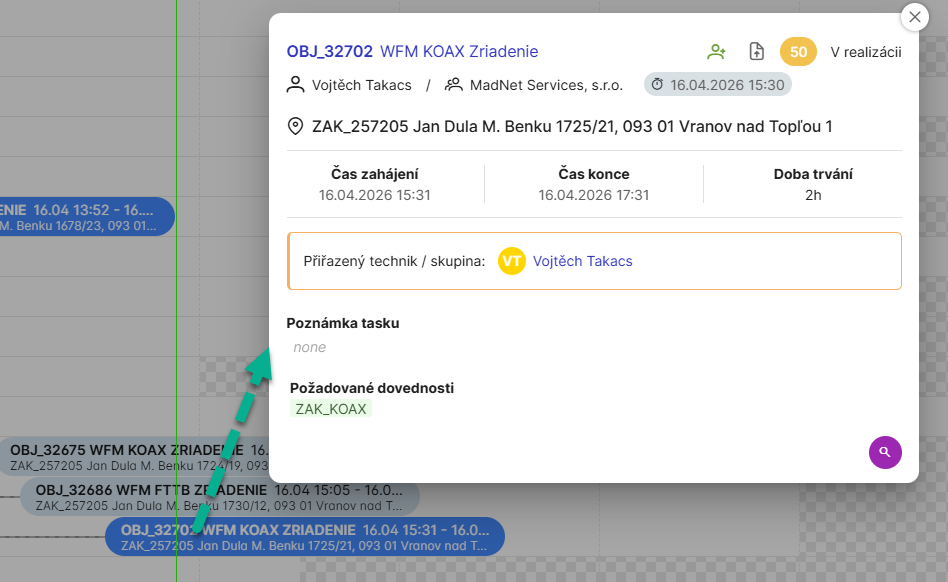
Task details in a Gantt-style timeline with the proposed slot visualized alongside task dependencies and the resource schedule.
Drag and drop task:
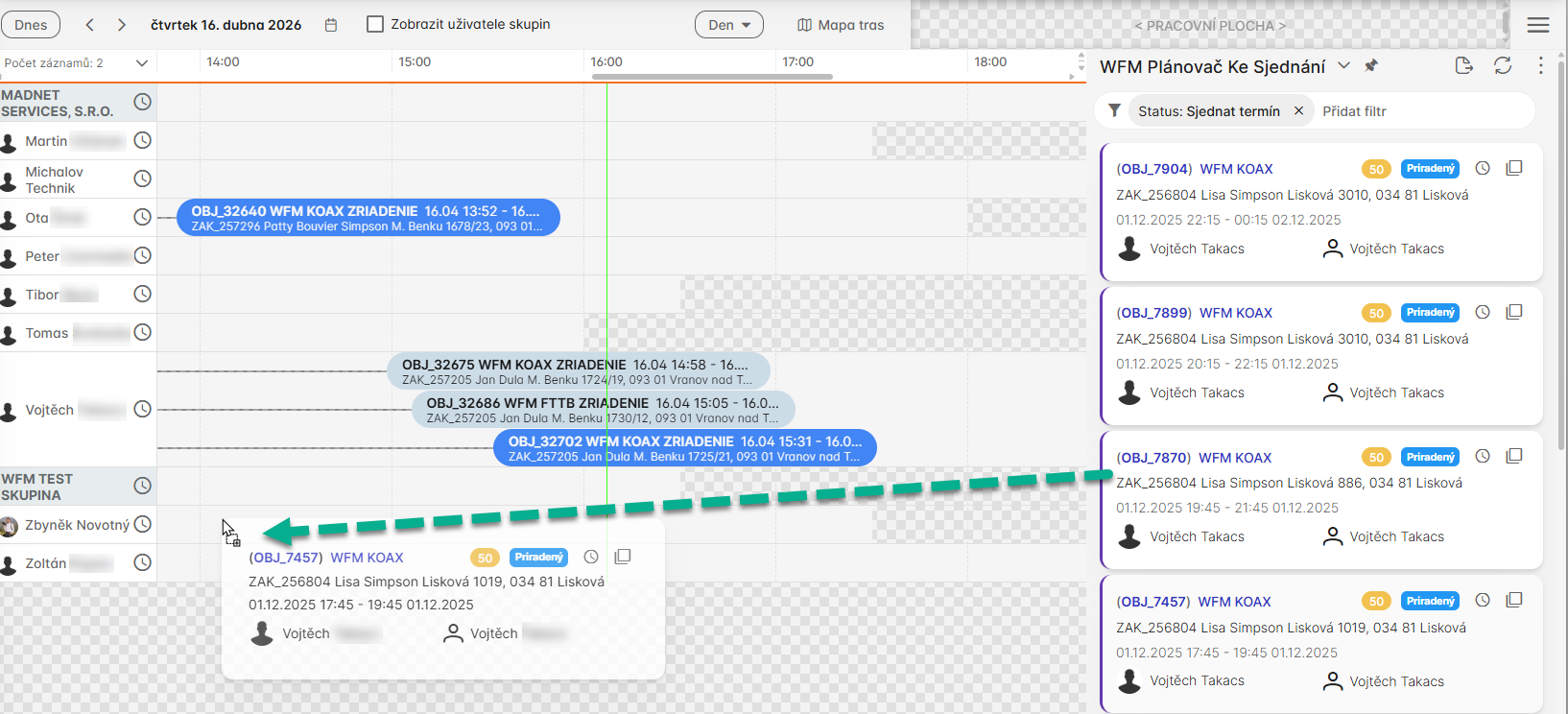
Drag-and-drop task adjustment, allowing the dispatcher to move the task to another time slot or resource directly within the dispatch interface for fast schedule refinement.
8. Dynamic Questionnaire Before Scheduling
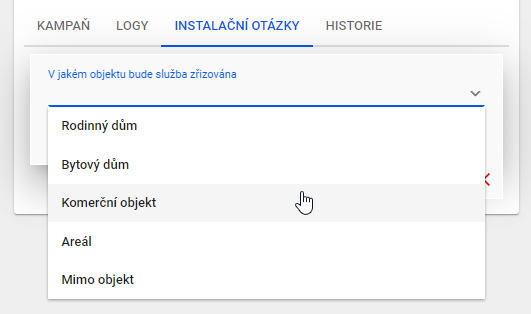
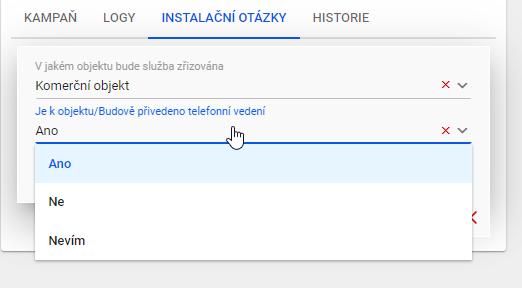
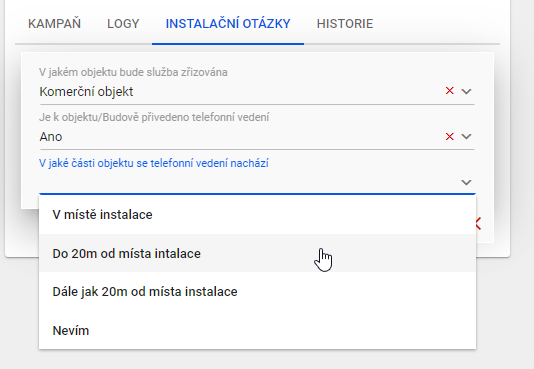
WFM can execute configurable pre-appointment questionnaires.
Use cases:
- gather missing technical/customer context,
- branch by answers,
- update workforce order before final scheduling.
Questionnaire examples:
9. Operational Controls
- maintain separate planner modes for standard and emergency operation,
- use dry-run simulation before committing major dispatch interventions,
- tune term-negotiation and full-optimization weights independently,
- monitor KPIs: term response time, due-date hit ratio, travel cost, and replanning churn.